Vibrant Wardrobe Stylist

Reviews
Description
Core Styling Mechanics
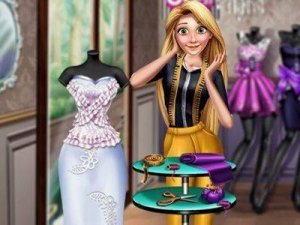
At its heart, this game is about assembling outfits from a curated collection of garments. Players start by choosing a model, then browse through separate categories for tops, bottoms, footwear, and extras. Each piece can be applied with a single click, and the outfit updates instantly on the model. This immediate feedback allows for rapid experimentation, letting users see how a striped top pairs with patterned pants or how different accessories change the overall vibe. The interface is clean and intuitive, making the process of layering and combining pieces feel effortless. There are no timers or scores, so the focus stays purely on the joy of creation.
Visual Aesthetic & Theme
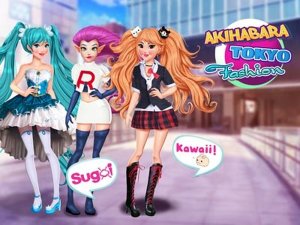
The game draws inspiration from vibrant pop culture, featuring bright colors, bold patterns, and playful textures. Clothing items often include neon accents, geometric prints, and shiny materials that catch the eye. This aesthetic is consistent across all categories, from casual t-shirts to elegant dresses and quirky hats. The model poses naturally, allowing the clothes to be viewed from a front-facing angle. The overall visual style is cheerful and modern, appealing to those who enjoy trendy, expressive fashion. The interface itself uses soft pastels and rounded buttons, reinforcing a friendly, inviting atmosphere.
Accessibility & Platform Support
Designed for broad accessibility, this game runs directly in a web browser without requiring any software installation or account creation. It works smoothly on both desktop computers and mobile devices, adapting to different screen sizes. A full-screen option is available for a more focused experience. The controls are simple: tap or click to select items, and tap again to remove them. This low barrier to entry means players can start styling within seconds, whether on a lunch break or during a quiet evening at home. The game also saves favorite outfits locally, allowing users to revisit their best creations later.
Creative Freedom Without Pressure
A defining feature is the complete absence of time constraints or performance metrics. There are no levels to complete, no high scores to beat, and no wrong choices. This design philosophy encourages players to take their time, try unexpected combinations, and refine their looks without stress. It is an ideal space for children learning about color coordination, for adults seeking a relaxing creative outlet, or for anyone who enjoys fashion as a form of self-expression. The game respects the player's pace, making each session a calm, personal journey into style.
Building a Personal Collection
Players can save multiple outfits to a personal gallery, which builds over time. This feature allows for comparison between different looks and serves as a record of creative progress. The saved outfits are stored locally on the device, so they persist between sessions. This encourages revisiting and tweaking previous designs, fostering a deeper engagement with the styling process. The gallery becomes a visual diary of fashion experiments, from bold color clashes to subtle monochromatic ensembles.




Player Comments
Sign in to comment
You must be logged in before posting a review or rating.
No account? Create one
No comments yet. Be the first to comment!