Supermarket Simulator: Dream Store

Reviews
Description
Game Introduction
Supermarket Simulator: Dream Store is a retail management simulation game where players take on the role of a store owner. The core objective is to start with a small shop and gradually build it into a thriving business. Players control every aspect of the store, from stocking products on shelves to managing employee schedules. The game focuses on strategic decision-making, balancing customer satisfaction with operational costs. With a simple interface and clear goals, it offers a rewarding experience for anyone interested in running a store. Each day brings new challenges and opportunities to expand, making the gameplay engaging without being overwhelming.
How to Play
Players typically start by setting up their store with shelves and displays, then stocking them with products from a market. As customers arrive, players can hire employees to handle service and manage queues. The game uses standard controls for movement and interaction, such as keys to move around and mouse clicks to interact with items, customers, and staff. Players can adjust product prices, order stock, and pause the game to plan their next moves. The goal is to turn the small shop into a profitable retail empire through careful planning and smart decisions.
Game Features
The game includes full shop building tools, allowing players to add shelves, displays, and decorations to customize their store. Customer service mechanics require hiring and training staff, with employee management tracking skills and motivation. Finance tools enable setting discounts, running ads, and tracking daily profits. All features work together to create a complete retail simulation experience. The game offers a calm and thoughtful experience that rewards planning and creativity without requiring fast reflexes.
Tips for Success
To succeed in Supermarket Simulator: Dream Store, focus on balancing customer satisfaction with operational costs. Start by investing in essential shelves and products, then gradually expand as profits grow. Hire employees early to handle customer service and keep queues short. Regularly check your finances to adjust pricing and run marketing campaigns when needed. Upgrade staff skills to improve efficiency. Plan your store layout carefully to make navigation easy for customers. With patience and strategic thinking, you can build a profitable retail empire.
Compatibility
Faq
Related Titles

Samurai Quest: Adventure RPG
A free 3D RPG with a large forest to explore, smooth animations, and strategic team-based gameplay.

Earth Evolution: Planet Builder Simulation
A peaceful planet-building experience with endless creative freedom and relaxing gameplay. Perfect for unwinding.

City Builder Strategy Game
A relaxing city builder with easy controls, perfect for family-friendly creative play.
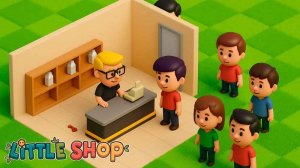
Little Shop Manager Simulation
A relaxing shop management game with creative customization and friendly trading. Perfect for casual players.

Planet Builder Creative Sandbox
A creative sandbox game that lets you build and explore planets with realistic physics. Fun for all ages.

Meadows Farm Life Simulator
Peaceful farming with charming visuals and simple controls. Perfect for relaxation and creative farm building.
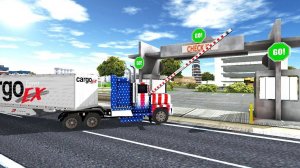
Urban Truck Driving Simulator 3D
A calm and rewarding truck driving simulation with realistic city traffic and satisfying delivery missions.

Coral Reef Cleanup Journey
A relaxing and meaningful ocean cleanup game that teaches environmental care while being fun for all ages.